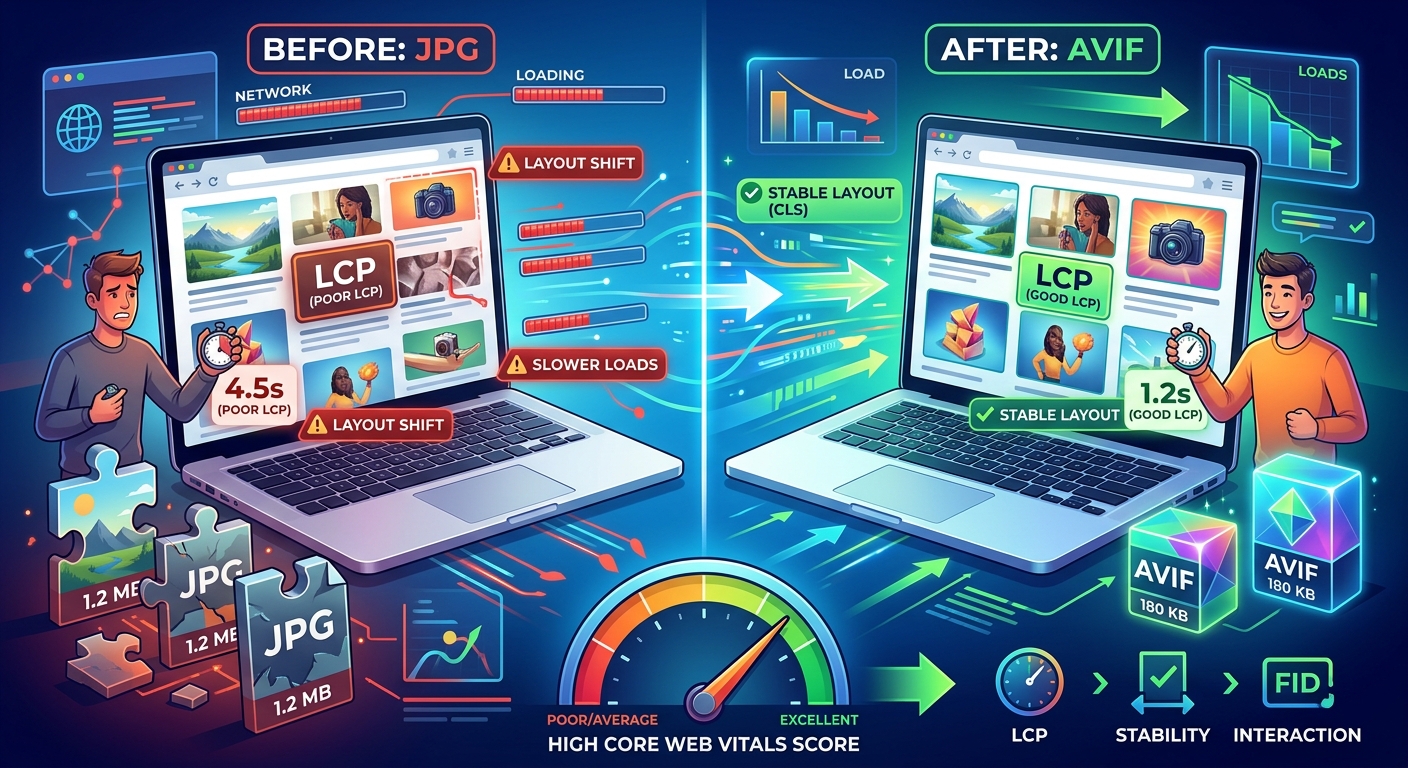
Your images are probably the heaviest assets on your page. Not your scripts. Not your stylesheets. Your images. And if those images are JPGs, you're leaving measurable performance on the table every single day. Visitors landing on your product pages, photo galleries, and content-heavy blog posts are waiting on bytes that could be a fraction of their current size. That's a solvable problem, and the solution already has strong browser support.
AVIF consistently produces files 40 to 60 percent smaller than equivalent JPGs at comparable visual quality. On image-heavy sites, that reduction cascades directly into faster load times, lower bandwidth costs, and meaningfully improved Largest Contentful Paint scores. For e-commerce pages and photography portfolios, the difference is especially noticeable. Converting your existing JPG assets is the practical starting point, and serving them with a proper fallback is what makes the whole change production-safe.
The Weight Problem That JPG-Heavy Pages Share
JPG has been the go-to format for photographic content on the web for decades. It does its job reasonably well. But JPG compression has a ceiling. Once you've squeezed a JPG down to an acceptable visual quality level, you're not getting much further without visible degradation. That ceiling is the core problem on image-heavy sites.
Product pages with ten or twenty high-resolution photos. Portfolio sites with full-bleed photography. Blog posts that lean on visual storytelling. These pages accumulate image weight quickly, and that weight has a direct cost in page load time. Users on mobile connections feel it most. Crawlers measure it. Core Web Vitals scores reflect it.
The JPG format was designed in the early 1990s. It predates modern display technology, modern network conditions, and modern browser capabilities by a considerable margin. There are simply newer, better algorithms available now, and AVIF is the most capable of them for photographic content.
What AVIF Compression Actually Does Differently
AVIF is built on the AV1 video codec, developed by the Alliance for Open Media. It uses far more sophisticated compression methods than JPG. Rather than storing image data block by block in the relatively crude way JPEG compression does, AVIF applies techniques originally developed to compress video frames as efficiently as possible.
The result is a format that handles photographic gradients, skin tones, sky backgrounds, and continuously-toned content significantly better than JPG. At the same visual quality level, an AVIF file is typically 40 to 60 percent smaller than its JPG equivalent. For high-resolution images, the savings can be even larger.
AVIF also handles transparency natively, supports wide color gamuts and HDR, and maintains far better quality at high compression ratios. For product photography in particular, that high-compression quality is valuable. You can serve a visually sharp image in a much smaller package than a JPG would require.
How Image Format Connects Directly to LCP
Largest Contentful Paint is the Core Web Vitals metric that measures how long it takes for the largest visible element on the page to fully load. On image-heavy pages, that largest element is almost always an image. A hero shot. A featured product photo. A banner. Whatever is visually dominating the viewport above the fold.
Google treats LCP as a primary signal in its Core Web Vitals framework for evaluating page experience. A good LCP score sits at or below 2.5 seconds. Anything above 4 seconds is considered poor, and that affects both ranking signals and user retention. When your LCP element is a large JPG, it takes longer to download, longer to decode, and longer to paint.
Swap that JPG for an AVIF of the same visual quality, and you've just cut the download time significantly without touching your layout or markup. On a slow 4G connection, a 500KB JPG hero image might take over two seconds to download on its own. The AVIF equivalent, at around 200KB, arrives in under a second. That single change can move your LCP from the "needs improvement" range into the "good" range without any other modifications to the page.
The impact compounds on pages with multiple large images. A product grid with twelve JPG thumbnails becomes a product grid with twelve AVIF thumbnails at half the combined weight. The total payload drops, the browser has less to decode, and the page feels faster because it is faster.
Browser Support Has Reached a Comfortable Majority
A few years ago, recommending AVIF for production came with a significant caveat: browser support was patchy. Chrome supported it early. Firefox took longer. Safari lagged behind considerably. That situation has changed.
As of 2024, AVIF is supported across Chrome, Edge, Firefox, and Safari. The Safari support, which arrived in Safari 16, was the last major gap to close. Across desktop and mobile, you're now looking at global browser support that covers well over 90 percent of users. That's a comfortable majority for a format that delivers real performance gains.
The remaining edge cases, older browsers and certain niche environments, are exactly why you still need a fallback strategy. But you're no longer choosing between compatibility and performance. A well-structured serving setup gives you both, and setting it up correctly is straightforward.
Processing Your Existing JPG Assets Before Building a Pipeline
Before setting up any automated conversion pipeline, it's worth converting a representative sample of your existing JPG images and measuring the actual results. Seeing the real file size reductions on your own images builds confidence and helps you set realistic expectations for the performance gains you'll see.
For individual images or small batches, JPG to AVIF conversion in the browser is a practical way to process existing assets without installing software, check output quality at different compression settings, and confirm the size reductions before committing to a broader pipeline.
When you move toward a full pipeline, several decisions need to be made before automating:
- Quality setting. AVIF quality typically runs on a 0-to-100 scale or a CRF-style scale depending on the encoder. A quality setting between 60 and 75 on a 100-point scale usually produces excellent visual results while keeping file sizes minimal. Test against your actual image library rather than generic benchmarks, since results vary by subject matter.
- Encoding speed vs. compression efficiency. AVIF encoding is computationally expensive. Most encoders let you trade encoding speed for compression quality. For a build-time pipeline, slower encoding is fine. For real-time on-the-fly conversion, balance speed against output size carefully.
- Source resolution. Serving appropriately sized images for the display context still matters. A 4000-pixel-wide AVIF is faster than a 4000-pixel-wide JPG, but a properly sized 1200-pixel AVIF is faster still. Combine format conversion with responsive image sizing for maximum impact on LCP.
- Keeping your originals. Always keep your original high-resolution JPGs. AVIF is a lossy format, and you may want to re-encode at different settings later. Treat your JPG library as the source of truth and AVIF as the distribution format.
Serving AVIF with a JPG Fallback in Production
The cleanest way to serve AVIF to supported browsers while falling back to JPG for everyone else is the HTML picture element. It's widely supported, semantically clean, and requires no JavaScript.
The picture element lets you list multiple source options. The browser picks the first format it supports. If AVIF is supported, it loads the AVIF. If not, it falls back to your JPG. The fallback sits in a standard img tag inside the picture element, which also ensures the image loads correctly in any context that doesn't recognize the picture element at all.
In practice, you place a source element with the AVIF file and a type attribute of image/avif. Below it, you place a standard img element pointing to the JPG. The browser walks the source list in order, picks what it can use, and ignores the rest. AVIF-capable visitors get the fast version. Everyone else gets the JPG they would have received anyway. No extra requests, no layout shift, no flash of unstyled content.
If you're working with a CDN or image optimization service, many of them handle this automatically through content negotiation. When a browser sends an Accept header that includes image/avif, the CDN serves the AVIF version. When it doesn't, the CDN serves the JPG. This approach requires zero HTML changes on your end. The tradeoff is that you're relying on server-side logic rather than explicit browser-side selection, which means your CDN configuration becomes the thing to audit when something goes wrong.
For WordPress users, several image optimization plugins handle AVIF generation and serving automatically. The plugin converts uploaded images to AVIF in the background and injects the correct serving markup without any manual intervention. On a custom stack, tools like sharp for Node.js, libvips, or the Squoosh CLI fit neatly into build scripts and CI pipelines to handle conversion at deployment time, keeping your production serving layer clean.
When the Format Switch Pays Off the Most
Not every site sees the same return from converting its image library. E-commerce pages with large product grids see dramatic improvements because they combine high image counts with large individual file sizes. Photography portfolios and lookbooks benefit enormously for the same reasons. News sites with editorial photography and large hero images gain a lot from the reduction in per-image weight. These are the contexts where image payload dominates load time, and where shaving 50 percent off that payload has a visible, measurable effect on LCP and overall user experience.
For pages where images are decorative, small, or sparse, the performance impact on LCP is smaller. But even on lighter pages, AVIF reduces bandwidth consumption. That matters for mobile users on metered connections, and it reduces server egress costs over time at scale.
The case for converting your JPG library strengthens every year. Browser support has matured. Tooling has improved substantially. The file size advantages are consistent and well-documented. Starting with your highest-traffic, most image-heavy pages and working outward from there is the practical path. The gains appear in your performance metrics, and they compound as you extend AVIF coverage across more of your image library. The conversion step is where the work begins, and a proper serving fallback is what turns that work into a production-ready result.